Indoor Laser Tag Capacity: Sessions, Turnaround and Staffing
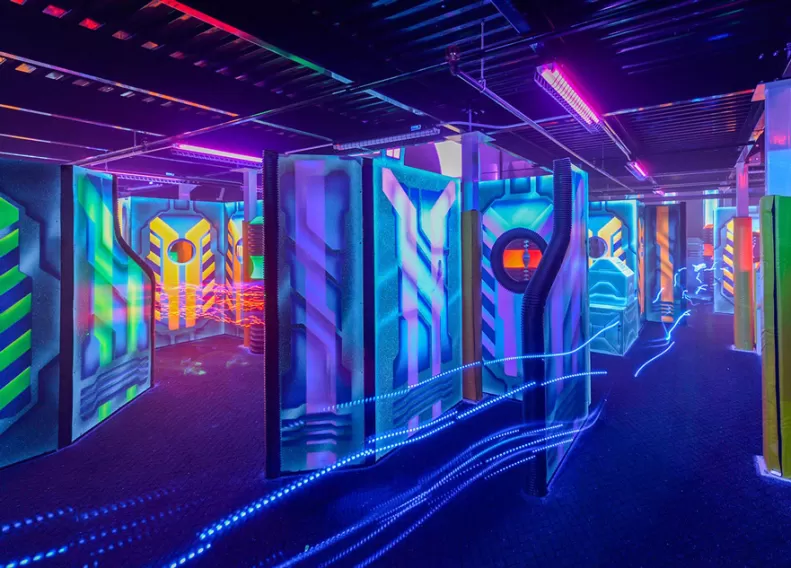

Plan indoor laser tag capacity from complete session cycles, ready player sets and the staff tasks that must happen at the same time. Count the games included in each ticket before converting player-games into paying guests. Arena size or a box of extra blasters alone cannot tell you how many bookings the attraction can serve.
This guide provides a conservative model for one indoor arena using one active equipment fleet. It includes a calculator and a worked four-hour schedule. All timings and staffing assignments are illustrative planning inputs; replace them with a timed trial in your venue. The model is not an occupancy approval, a staffing rule or a forecast of demand.
Define what one customer buys
Use three separate units in your plan. A round is one game on the arena. A player-game is one player taking part in one round. A guest booking is one customer's purchased product, which may include one, two or more rounds.
Sixteen players taking two rounds use 32 player-games while representing 16 guests. A parent watching, an instructor and a guest waiting for their next round are additional people in the building; they are not extra sellable places on that round.
Write the product first: rounds per guest, game length, planned start times, briefing, fitting, return of equipment and any party-room time. Use separate plans for walk-ins, booked groups and exclusive parties if those products occupy the attraction differently.
Build the full cycle around one active fleet
For the simple model here, one round's cycle is game time plus all handover tasks before the same fleet starts again. Handover includes returning gear, cleaning and checking it, fitting the next group, briefing and moving people in and out. Include tasks only once.
Complete rounds = floor(available operating minutes ÷ full cycle minutes). The model includes the final handover inside the available window. If briefing or cleaning can happen in parallel with play, use a tested station schedule to prove the overlap before shortening the interval. A second fleet or a separate briefing team may change that schedule; this calculator does not simulate those arrangements.
Choose active player count from the lowest of your complete ready sets, the venue's approved and practical player limit, your tested fitting process and the group size staff can operate under the applicable requirements. A capacity calculator does not determine the venue's permitted occupancy.
Work through a four-hour indoor example
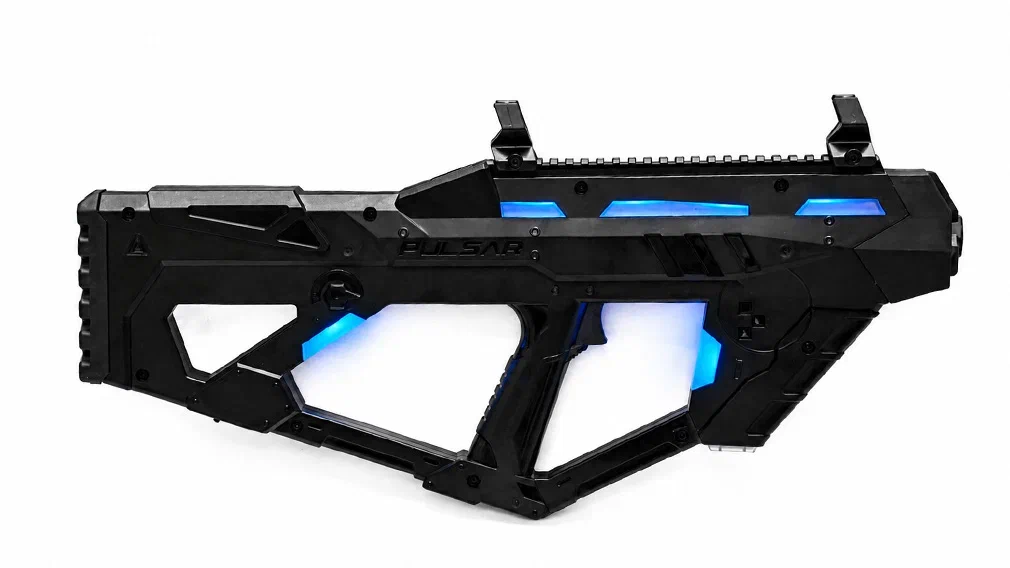
Assume 240 available minutes, 16 active players, two complete reserve sets, a 15-minute game and 15 minutes of non-overlapping handover. The cycle is 30 minutes. That allows eight complete rounds, 128 player-games, or 64 guest places in four complete two-round group blocks.
The equipment order contains 18 complete sets, but only 16 are used to sell places. The two reserves protect the scheduled capacity while a faulty or unready unit is removed. Add their costs to the budget without adding them to the active player count.
| Group block | First round starts | Second round starts | Handover completed by | Maximum two-round guests |
|---|---|---|---|---|
| A | 12:00 | 12:30 | 13:00 | 16 |
| B | 13:00 | 13:30 | 14:00 | 16 |
| C | 14:00 | 14:30 | 15:00 | 16 |
| D | 15:00 | 15:30 | 16:00 | 16 |
A first group must be prepared before the first start, so budget opening preparation separately. The example also requires a tested plan for that group's break between rounds. Party-room use, refreshments, waivers and reception queues need their own schedule and space.
See how handover changes the number you can sell
A few minutes change the number of complete products in a finite booking window. Keep the game at 15 minutes and compare three handover assumptions:
| Handover | Full cycle | Complete rounds in four hours | Player-games at 16 places | Complete two-round group blocks | Two-round guest places |
|---|---|---|---|---|---|
| 10 minutes | 25 minutes | 9 | 144 | 4 | 64 |
| 15 minutes | 30 minutes | 8 | 128 | 4 | 64 |
| 20 minutes | 35 minutes | 6 | 96 | 3 | 48 |
The faster example leaves one complete round after four two-round blocks. It could support a separately scheduled one-round product. It does not make eight extra two-round places available to a full group. The calculator keeps that leftover round visible instead of treating half a group block as a sellable group.
Calculate your arena operating plan
One arena, one active fleet, sequential handover and complete group blocks. Reserves do not increase sellable places. The sold-seat share is your assumption.
Assign people to overlapping jobs
Map work to time before deciding headcount. In an illustrative 30-minute cycle, an arena operator spends 15 minutes supervising play and 15 minutes on the return, check, fit and briefing process. A host may spend 10 minutes per round on reception, group coordination or party handover while the arena operator is occupied.
Across eight rounds, that example uses 240 arena-role minutes and 80 host-role minutes: 320 task minutes, or 5 hours 20 minutes of work. These are assumed duties, not measured staffing performance. They exclude opening, closing, breaks, training and exceptions. Because the roles overlap, dividing 5 hours 20 minutes by a four-hour shift does not prove one person can run the attraction.
| Operating moment | Arena role | Guest-service role | Question to resolve |
|---|---|---|---|
| During play | Supervise the session and respond to equipment issues | Receive the next group and handle bookings | Who covers each post during a fault or late arrival? |
| Between rounds | Return, check, clean, fit and brief in the tested sequence | Coordinate waiting guests and party timing | Can the next group start without rushing required tasks? |
| Break or incident | Maintain the required coverage | Continue reception and group coordination | Who provides trained relief? |
These are functions to allocate, not a universal two-person staffing minimum. Agree staffing, supervision and permitted group size for the actual venue and activities. If one employee is assigned two jobs, show how the schedule avoids conflicts and how coverage continues during a break or incident.
Check the stations outside the playing area
The attraction can miss starts while the arena itself is empty. Time fitting for the intended ages and clothing, check how many ready sets staff can handle at once and include cleaning and inspection in the workflow. Test the station with the actual indoor equipment configuration.
Count charging capacity against your daily use pattern. If a device is waiting for charge or a compatible sensor, it is unavailable for that start. Measure results and scoreboard handover using the software workflow for the exact generation. The model assumes those processes fit inside the timings you enter.
Check reception, briefing, waiting, accessibility and party-room schedules alongside arena planning. Site design and approvals determine actual permissible capacities. Keep spectators and waiting groups in the building plan even though they do not add player-games.
Organize the arena schedule with LASERWAR CRM
Once you have calculated the operating capacity, put the working schedule into LASERWAR CRM, our service for gaming clubs. Its calendar brings game bookings, customer information and assigned instructors together. Equipment can be reserved against bookings when the club uses equipment accounting. This helps the administrator connect the session promised to a guest with a specific venue and resources.
For several arenas, the Venues view gives each playing area its own column so staff can check the requested time before confirming a booking. The Board view helps staff review the shift and parallel events. A selected-day booking list is available on a phone. The CRM calendar guide, in Russian, describes these views.
| Scheduling task | How to use CRM for the arena |
|---|---|
| Record a group booking | Enter the customer, date, start, duration, venue and player count. |
| Allocate staff work | Assign an instructor and retain the booking status and operating note. |
| Prepare player sets | With equipment accounting enabled, select and reserve available items or equipment configurations for the event. |
| Receive a website enquiry | Share the online-booking page or use a form or calendar on the club website, then review the submitted request and agree the details. |
In this article's example, group A occupies 12:00–13:00: starts at 12:00 and 12:30, with handover finished by 13:00. You can represent that as one hour-long booking for 16 players on the selected arena. Record both rounds and their start times in the note, assign the instructor and plan the two ready reserve sets separately from the places sold. This is a suggested operating method; the calculator in this article does not automatically send its results to CRM.
In the online-booking workflow, documented in Russian, the guest selects an offered time and submits the game details. The manager reviews the booking, agrees the programme and confirms resources. Submitting the form does not itself mean payment is complete. Include the promised briefing, breaks and equipment handover in the occupied time before opening the next booking. Test the resulting schedule with the whole team.
Explore LASERWAR CRM and the booking-creation guide, in Russian. Use the calculated cycle to design your timetable and CRM to handle the real bookings, staff assignments and equipment each day.
Connect capacity to a realistic sales model
Capacity is the upper limit of a schedule, not the number of customers it will attract. Apply a separate sold-seat assumption to each product and time band. With 64 two-round places in the example, a 50% sold-seat assumption gives 32 paying guests and 64 player-games. It does not give 64 paying guests.
For a pure two-round admission product, multiply paying guests by the two-round ticket price. For party packages, count the package revenue once and add only genuine extra purchases. Do not also count the included rounds as separate ticket revenue. Continue in the U.S. club profit model and include reserve equipment in the ownership budget.
Validate the plan before opening the diary
Run consecutive trial groups through arrival, fitting, briefing, play, return, cleaning, results and departure. Record actual start times, late starts, units removed, queue lengths and staff conflicts. Repeat with the busiest intended product and representative guests. Keep the measured observations beside the original assumptions.
Release a booking interval that staff can repeat while completing the required tasks. Leave room for recovery and breaks. If a bottleneck remains, adjust the product, the layout, staffing or the working equipment count, then test the revised plan.
Does a larger equipment fleet always increase capacity?
Only when the arena, approved group size, operating process and staff can accommodate additional active players or starts. Complete reserves protect existing starts; they do not automatically create extra places.
Can two fleets double the number of sessions?
A second fleet may let preparation overlap with play. Arena turnover, reception, briefing and staff coverage can still limit starts. Model that as a separate station schedule and verify it in a trial.
What should I send when requesting an indoor equipment quote?
Provide active players, reserve sets, rounds per ticket, the proposed schedule, venue layout and the fitting and charging plan. Ask LASERWAR to quote for that operating brief so the equipment list can be checked against the places you intend to sell.


