Outdoor Laser Tag Equipment: A Buyer's Guide
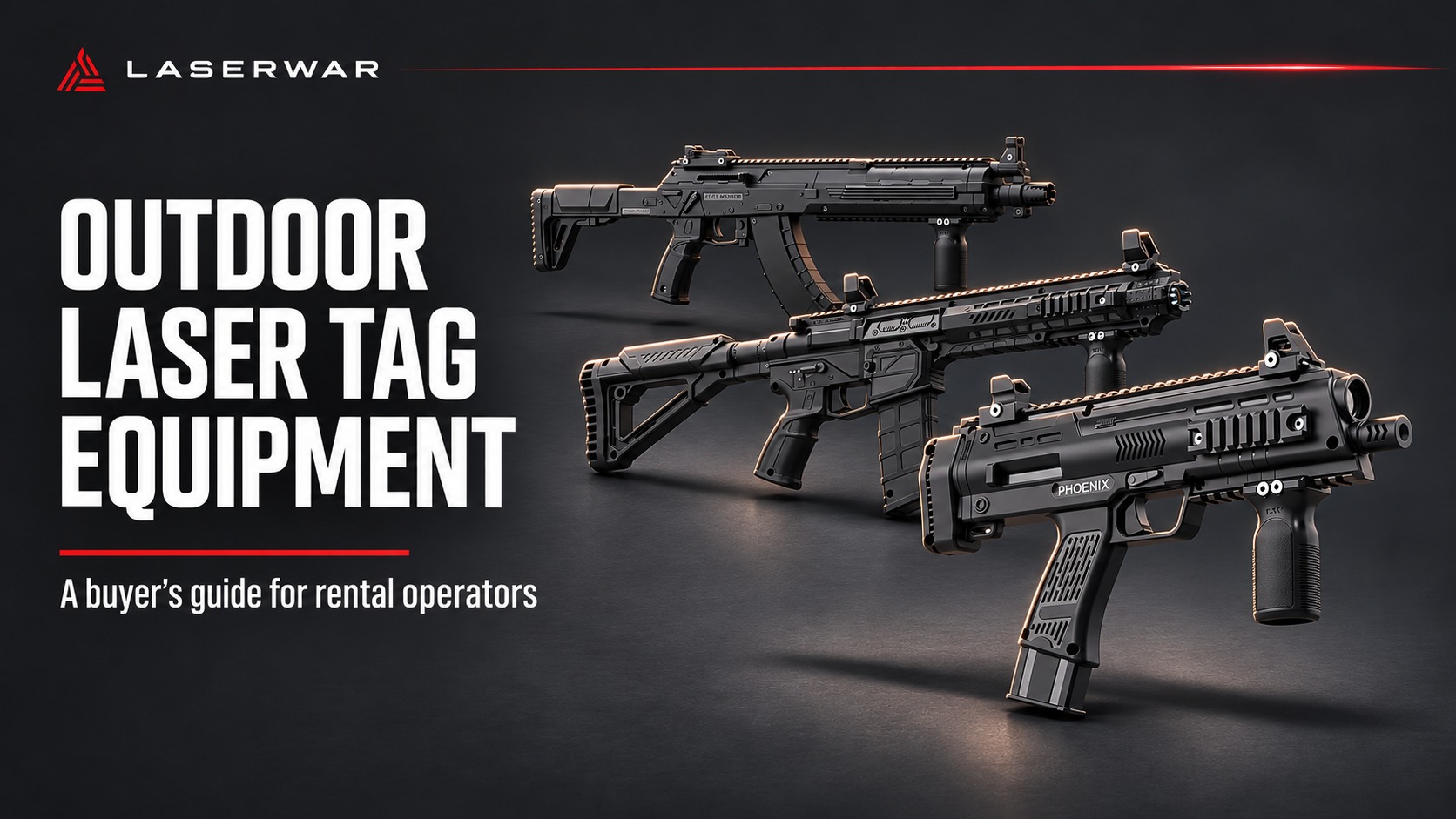
Choose outdoor laser tag equipment for the sessions you plan to sell. Start with your players, field and daily schedule, then compare the complete fleet: taggers, sensors, charging, controls and reserve sets.
This guide uses current LASERWAR product pages to help you build a shortlist and request an itemized quotation. Product information was checked on 3 November 2026. The same purchasing checks can help you compare proposals from other suppliers.
Start with the sessions you plan to sell
Write a short operating brief before choosing models. Include your typical age group, simultaneous player count, session length, number of sessions per day, transport arrangements and access to electricity. Separate a mobile service that changes locations from a permanent outdoor field with an established control station.
For a mixed-age rental business, let representative players try the equipment. Watch them carry it, aim, reload and reach the controls. Check whether staff can fit the sensors quickly and explain the basic controls without a long demonstration. For a tactical adult audience, the handling and appearance of a longer rifle may be part of the experience you sell.
Treat those choices as a practical fitting exercise. Age alone does not tell you whether a particular player will be comfortable with a given model.
LASERWAR / EQUIPMENT SELECTION
Meet the outdoor lineup


Choose an image or swipe horizontally. Select the photograph to enlarge it.
Compare size and handling
These three LASERWAR models provide a useful starting point. The dimensions below are the figures displayed on their current product cards. Accessories can change the weight and handling of the delivered configuration.
On a small screen, scroll the table horizontally to see every column.
| Model and source | Listed tagger weight | Listed length | Why put it on your shortlist? | Check during a demonstration |
|---|---|---|---|---|
| MP9LT PHOENIX | 0.8 kg | 39.5 cm | A compact option to evaluate for mixed groups and a mobile fleet. | Reach to the controls, comfortable carrying and fit with the selected sensor. |
| AK-15 WARRIOR | 1.14 kg | 74 cm | A longer rifle format to evaluate for tactical sessions. Its product description specifies bolt reloading. | Whether players can reload consistently and handle the length comfortably. |
| AR-15 RANGER | 1.3 kg | 72 cm | An alternative rifle shape to compare with the WARRIOR in a handling trial. | Balance with the chosen accessories and how it fits in your transport cases. |
The shortlist suggestions are buying guidance, not a claim that one model has been independently tested against the others. Body shape also does not establish software compatibility: specify the electronics generation separately.
What belongs in a complete playable set?
For each player, identify the tagger and the compatible hit-sensor arrangement. Then list the shared equipment needed to charge, configure and run the fleet. The PHOENIX and RANGER product pages explicitly state that sensors and chargers are purchased separately unless included in the chosen options. Check the itemized configuration before comparing prices.
Ask every supplier to quote the same scope:
- Taggers with the exact generation, optics, battery and optional features identified.
- Compatible headbands, vests or other hit sensors, with quantities and pairing requirements.
- Chargers and charging capacity for every device type in the order.
- The remote controls, configuration hardware and software required for your scenarios.
- Charged reserve sets and spare sensor components.
- Transport cases, storage arrangements and any field devices you have selected.
Keep a separate column for equipment you already own. A laptop you can reuse reduces new spending, but it still needs to be available on game days.
Choose a control system for your field
A mobile operator and a permanent venue may have different priorities. Ask for a demonstration of the actual workflow: prepare teams, start a round, change a setting, replace a player's set and retrieve results. Repeat it with the staff member who will run events.
For LASERWAR X-Generation equipment, X-Gen Configurator is free Windows software with Wi-Fi game control, live statistics, external-screen output and PDF results. Its published setup calls for compatible 10th-generation sets, a Windows computer and a Wi-Fi router, plus built-in Bluetooth or a Bluetooth 4.0 BLE adapter for network configuration. Provide power for the computer and router outdoors.
Draw the proposed network coverage on your field plan. Test the areas where players will actually move, including behind cover and at the edges of the playing area. Ask which functions remain available if a connection drops and what the instructor should do next. Do not infer that a feature described for one generation is included in another generation's quote.
Test the optics where you will play
Request a practical demonstration at representative distances and in the conditions in which you expect to operate. Check that hits register consistently when players aim correctly and wear the sensors as instructed. Try open ground, shaded areas and the routes around your proposed cover.
Record the model, optics, sensor, settings and conditions used in the demonstration. That gives you a repeatable acceptance check when the order arrives. A headline maximum range should not be your only selection criterion: you also need suitable aiming behavior and reliable scoring within the field you will use.
Agree on operating conditions and care instructions for the complete configuration. Ask specifically about rain, storage and drying. A protection rating stated for one component should not be treated as a rating for the entire tagger or wearable sensor.
Plan charging and reserve sets
Request runtime and recharge information for each device and the battery fitted to the quoted configuration. A tagger, headband and field device can have different charging needs. Compare that information with your operating day, including setup, demonstrations and breaks between paid sessions.
Build a charging plan that answers three questions: how many devices can charge together, how staff identify a charged set, and where equipment is stored between events. During acceptance, run a representative day and record the battery status of every component.
Decide your reserve policy before advertising player capacity. For example, the StartUp v.9 Smart RGB Phoenix bundle currently lists 10 taggers and 10 headbands, with two additional taggers and two headbands as gifts. One operating choice is to book 10 simultaneous players and keep two complete sets ready for replacement. Using all 12 sets for players leaves no complete reserve from that bundle. Reconfirm the offer when ordering.
Check the repair and support process
Ask who will handle your order, how to identify replacement parts, where repairs would be sent and what information support requires. Put the agreed warranty and service arrangements in the quotation or order confirmation. Separate coverage for taggers, batteries, wearable sensors and accessories.
LASERWAR's service and support page asks for the model, generation, symptoms and relevant photos or serial information. Warranty requests also need order details. Its warranty policy says business-buyer coverage applies as expressly stated in writing and asks customers to wait for instructions before shipping a return.
Use the handover to train staff in routine checks, approved cleaning and the replacement procedure. Keep a simple equipment log so the next instructor can see which sets are ready and which need attention.
What to include in a supplier quotation
Ask for one itemized proposal showing:
- Your target number of simultaneous players and the separate reserve allocation.
- Exact model, generation, optics, battery, sensors and quantities.
- Charging equipment, controls, computer and network requirements.
- A demonstration and acceptance procedure for your intended operating conditions.
- Written warranty terms, support contacts and a process for obtaining spare parts.
- Delivery terms and the treatment of shipping, taxes and import charges.
Compare proposals using that same list. This makes it easier to see whether a lower total reflects a different specification, fewer playable sets or missing infrastructure.
Build your outdoor equipment shortlist
Start with the fleet you need for your first repeatable event format, then identify how you would add capacity. Explore LASERWAR commercial outdoor equipment and complete laser tag bundles. When you request a configuration, include your country, player count, age range and whether you will operate a mobile service or a fixed field.
That gives the equipment team enough context to explain the options, check compatibility and prepare a quote you can use in your business plan.
Product photographs: LASERWAR. Cover: editorial illustration based on manufacturer product imagery. Figures refer to the configurations and sources stated in the article.


