Which Laser Tag Game Devices Should Your Club Buy First?
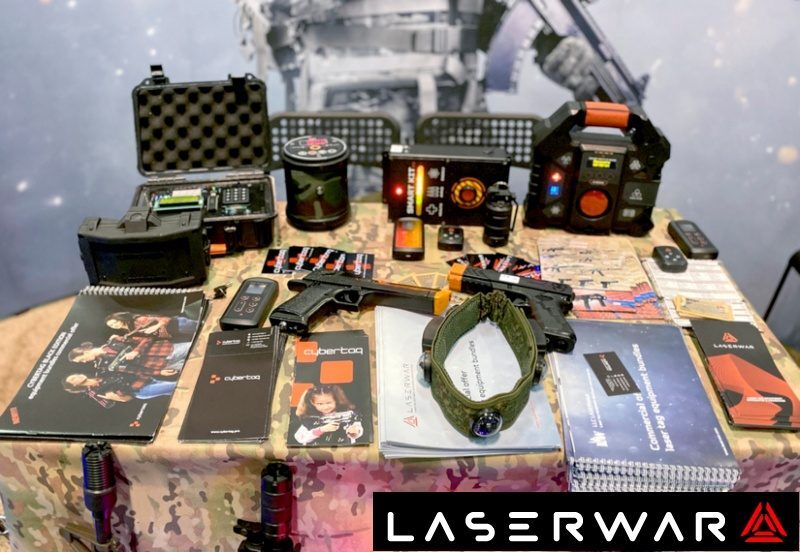
Choose laser tag game devices by the missions your club will run. A control point can give teams a shared location to contest. A battle base can support a team objective or a configured support role. A digital flag can add electronic capture-and-return play. Start with the missing game function, then confirm the device, quantity and setup required.
What do you want the next device to change?
“More scenarios” is a useful ambition, but an incomplete purchasing brief. Specify the player behavior you want: both teams moving toward one objective, defending a home base, carrying an electronic mark across the field, or using a defined support location. The device should make that rule visible and manageable.
First check whether the same goal can be reached through rules or settings you already have. A clear instructor briefing and a different mission may be enough for an initial trial. Buy an electronic objective when its supported functions add something you will use, such as a visible capture state, a timed contest or electronic flag handling.
Compare the first three laser tag game devices
On a small screen, scroll the table horizontally to compare every column.
| Mission requirement | Device to evaluate | Published examples | What to test before ordering |
|---|---|---|---|
| Contest and hold a shared location | Smart Control Point | Capture Control Point, Battlefield Point and Command Post. | Capture behavior, team indication, timer, placement and reset. |
| Give a base a configured role | Smart Battle Base | Support Base, Blockpost and Bomb. | The selected support or objective behavior, interaction distance and instructor controls. |
| Carry an electronic flag mark | Digital Flag | Electronic Capture the Flag and other listed objective or support modes. | How the mark is taken, carried, lost and scored in the intended configuration. |
There is functional overlap. A Digital Flag also offers modes beyond flag capture, and the Control Point and Battle Base each support several uses. Compare the exact rules, physical format and setup workload instead of assuming that a device name describes only one function.
Smart Control Point: start with a visible contested objective
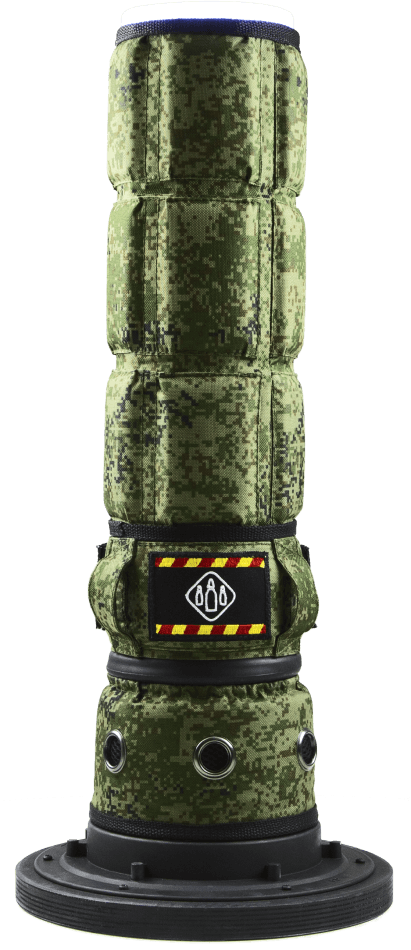
The Smart Control Point uses a light indication and display to communicate capture and timing information. Its presentation describes modes for capture, accumulated control and a command-post objective. These are useful distinctions when you decide how teams should win.
In a demonstration, have an instructor set the intended mode and explain it without reading the product page to the group. Test how a team captures the point, what the opponent sees, when the round ends and what must be reset. Place the objective where players can reach it under your site's movement and supervision rules.
Watch the Smart Control Point product review
Smart Battle Base: define the role of each base
The Smart Battle Base presentation lists Support Base, Blockpost and Bomb scenarios. It also describes onboard controls and an OLED menu. Specify the behavior you need rather than ordering a base with an undefined expectation that it will manage every part of a session.
Ask how the chosen mode interacts with your player equipment, how an instructor changes settings and what accessories or mounts are included. Test a normal round, a mistaken player action and the reset. If you want a role at both ends of a two-team field, request a layout showing the required devices and settings for each end.
Digital Flag: plan electronic capture and return
The LASERWAR Digital Flag supports an electronic Capture the Flag variant. A player takes a digital mark from the opposing device and returns to the home device to score. The mark is handled by the equipment rather than by carrying a physical flag, so the briefing must explain that difference.
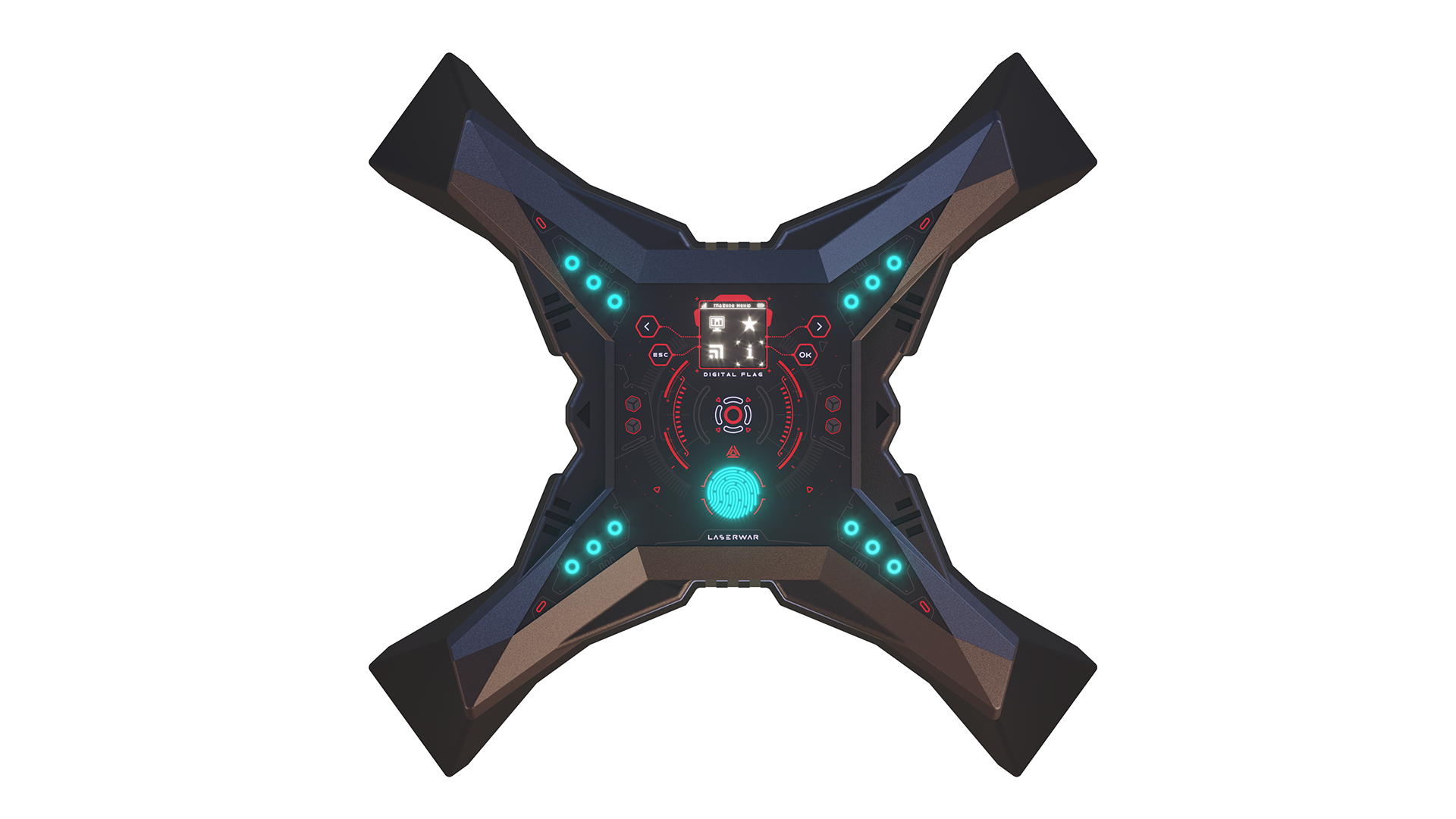
For a worked two-team home-and-away layout, plan an objective at each end and ask LASERWAR to confirm the quantity and configuration. A trial of one device in another supported mode is a different purchase plan. Do not buy a pair solely because the product name contains “flag”; start with the actual mission.
See electronic Capture the Flag in a game demonstration
Choose a first purchase without buying overlapping functions
Consider three illustrative opening briefs. The quantities below are planning examples for discussion with the supplier, not universal requirements or fixed bundles.
- One contested center: evaluate one Control Point for a defined capture-and-hold mission. Confirm the required player settings and choose a second device only when a second objective has a clear job.
- Two team positions: request a two-position layout using the appropriate bases or other supported objectives. Compare a simple setup with one that requires more preparation and explain the difference to staff.
- Electronic flag capture: request a complete home-and-away configuration, including the necessary Digital Flags and the player-equipment setup. Add the intended scoring and reset procedure to the order brief.
For each proposal, list the devices, chargers, control requirements, mounting or carrying accessories and opening spares. Ask what is included in the price. A device that partly duplicates equipment you own may still be useful, but the quotation should explain the additional function it provides.
Download the device-selection worksheet to compare mission, configuration, quantity and setup requirements.
Check compatibility at the level of the function you need
Shared infrared gameplay and shared online statistics are different requirements. A device can support a local mission without putting every generation in the same reporting application. If you want a display or saved statistics, include that requirement explicitly and ask to see the whole proposed setup working.
In the purchase request, list the generations you use, the intended mission and the reporting functions you need. Confirm the supplied device revision and its current instructions. Use the generation comparison for the software discussion, and follow model-specific charging and care instructions.
Measure use after purchase
Keep a short log for each mission: how often it was offered, how often it was selected, preparation time, faults and customer feedback. Record whether the device made the objective clearer or created an extra explanation problem. These observations help decide the next purchase.
A new device does not by itself prove higher repeat visits or a higher average bill. If you offer a new package, record its price, attendance, extra staff time and costs. Compare the actual operating result before deciding whether to expand the setup.
Questions before ordering
Do we need a Digital Flag and a Control Point?
Not automatically. The products have overlapping objective functions. Start with the missions you intend to offer and ask which current device modes cover them. Order both when each has a defined role in the layout or schedule, rather than treating the number of different devices as a measure of game quality.
Can we use electronic objectives without internet access?
Separate internet access from local control and networking. The Digital Flag presentation describes local play without an internet connection. The setup needed for a particular display, application or statistics workflow should be confirmed separately. Ask the supplier to demonstrate your intended mission under the connectivity conditions of your venue.
Which device is the best first upgrade?
Choose the device that fills a specific gap in your current games and that your instructors can operate consistently. A single contested objective may be enough for one club; another may need a complete electronic flag layout. Compare a demonstrated mission and an itemized quotation before deciding which additional equipment to buy.
Choose the next device for your club
Send LASERWAR your equipment generations, field layout and two or three missions you want to add. Ask for a compatible device proposal with quantities, required accessories and a short setup demonstration.
- Business


