"Artifact" – updated design!
| Mass | 0.19 kg |
| Dimensions |
14,5 cm х 9 cm х 3,3 cm |
| Power supply type | Crown battery (9V) |
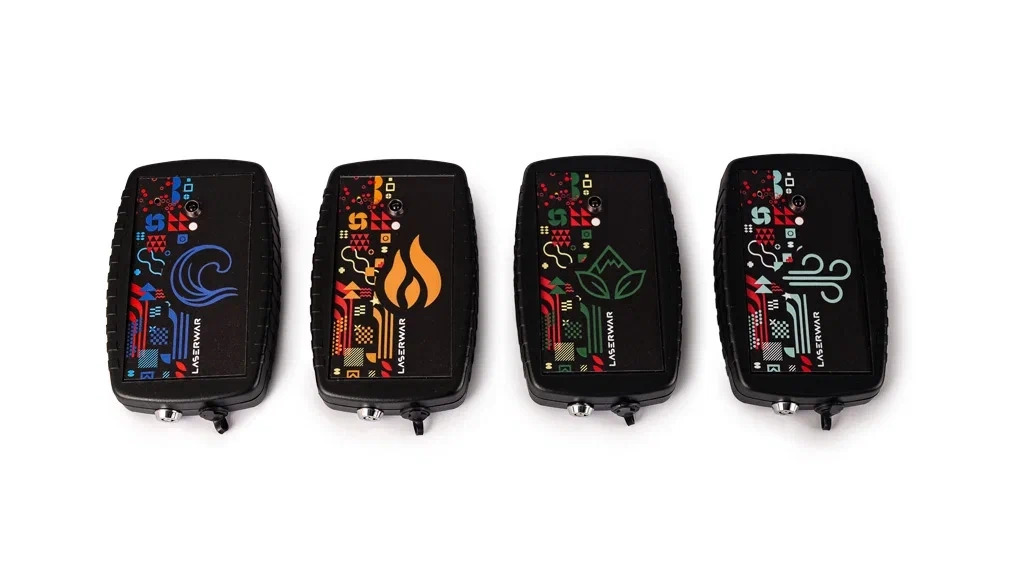
"Artifact" is a unique system specially designed for laser tag, embodying one of the most interesting ideas from the world of STALKER.
However, for the convenience of using this system in the game, we abandoned a large number of artifacts that differed in principle of operation and name. Instead, we adopted a division into just four types: Fire, Water, Earth, and Air. This leads to the system's core principle: artifacts of the same "nature" do not interact with each other. Artifacts of different types can be connected to each other, for example, Water and Fire or Earth and Air (other combinations are also possible). The effect produced by both interacting artifacts and each of them individually can be easily changed using a special configuration program (download link is below). Now let's look in more detail at the features of how artifacts work in various modes.
Brief Operational Description
Each artifact has three operating modes:
-
Standby (artifact not found)
-
Captured (artifact captured)
-
Collected (artifacts are interacting)
Standby Mode
Immediately after being turned on, the artifact is in standby mode. The LED briefly flashes white every 10 seconds (the number of flashes corresponds to the artifact type) and emits random clicks reminiscent of a Geiger counter sound.
Captured Mode
If you shoot at an artifact in standby mode, it becomes the property of a team of a specific color (transitions to "Captured" mode). The LED will shine continuously with the color of the team that captured it. Audio clicks occur once per second. If opponents shoot the captured artifact, it will return to "Standby" mode.
Collected Mode
For artifacts to unite and enter "Collected" mode, the following conditions must be met:
-
Artifacts must be of different types (artifacts of the same type do not interact with each other).
-
Artifacts must be captured by the same team.
-
Artifacts must be close to each other, with no obstacles between them.
The merging process takes 5-10 seconds. After merging, the artifacts begin to blink continuously with the color of the owning team. If an opponent hits a collected artifact, the artifacts will return to "Standby" mode and will need to be captured again. If one of the collected artifacts is taken out of range of the other, after a certain time (10-20 seconds) the artifacts will lose their connection and return to the "Captured" state.
In each mode, at certain programmed intervals (configured via computer), the artifact emits an IR command corresponding to that specific mode. The activity interval can be programmed from 10 seconds to 3 minutes.
IR Command Effect Features
Using an extended set of commands provides an advantage when capturing an artifact. For example, using the "Restore owner's health" command allows only the player who captured it to restore health, while the command "Restore ammunition for the owning team" will fully restore ammunition only for the team that captured it.
It is also permissible not to assign any effect (empty command) for a specific mode.
If you set the command "Restore health for the green team" for all modes, the artifact can be used as a health restoration point for the green team (it will not affect players of other colors).
Programming
To program, connect the USB base to your computer and launch the configuration program. Only one artifact can be programmed at a time! To put the device into programming mode, hold down the tactile button (the technical hole is located at the top on the front cover) while turning the artifact on. The LED will light up pink. If the correct COM port to which the base is connected is selected in the program, the artifact will blink while communicating with the base. After that, select the IR effect commands for each artifact mode, set the time between activities, and press the "Save" button.
Package Contents:
-
Artifact (1 pc.)
-
Product passport


